
ChatGPT for our documents — that only answers from files you're allowed to open.
A company knowledge AI that gives you a plain-English, cited answer — and structurally can't surface a document you're not cleared to see.
Purple's knowledge lives in too many places at once. There are SharePoint sites, Confluence spaces, department folders, process documents, and a scattering of one-off custom GPTs that people spun up themselves when they got tired of hunting. So when someone in Compliance needs a concrete answer — "what documents do I need for third-party vendor onboarding?" — there's no single place to ask. You dig through several systems, land on something that might be the current version, and read it yourself.
The tempting fix is to pour everything into one AI chatbot. That's also the dangerous one. A naive "chat with all our docs" tool has no idea who's asking, so it will happily answer a general question with a snippet lifted from a confidential legal negotiation, or reveal that an acquisition file even exists to someone who should never have known it was there. That isn't a hypothetical edge case — some of the ad-hoc AI tools already floating around had no access control at all, and their answers cheerfully mixed material from unrelated departments. For a JSE-listed group, that's not a bug. It's an incident.
Nexus is the deliberate answer to both problems at once. It's one place to ask, in plain English — but it works out which documents you are allowed to see before the AI searches anything, and it answers only from those. Kill the scavenger hunt and design out the leak in the same move.
The turn — one place to ask, answered only from what you can see
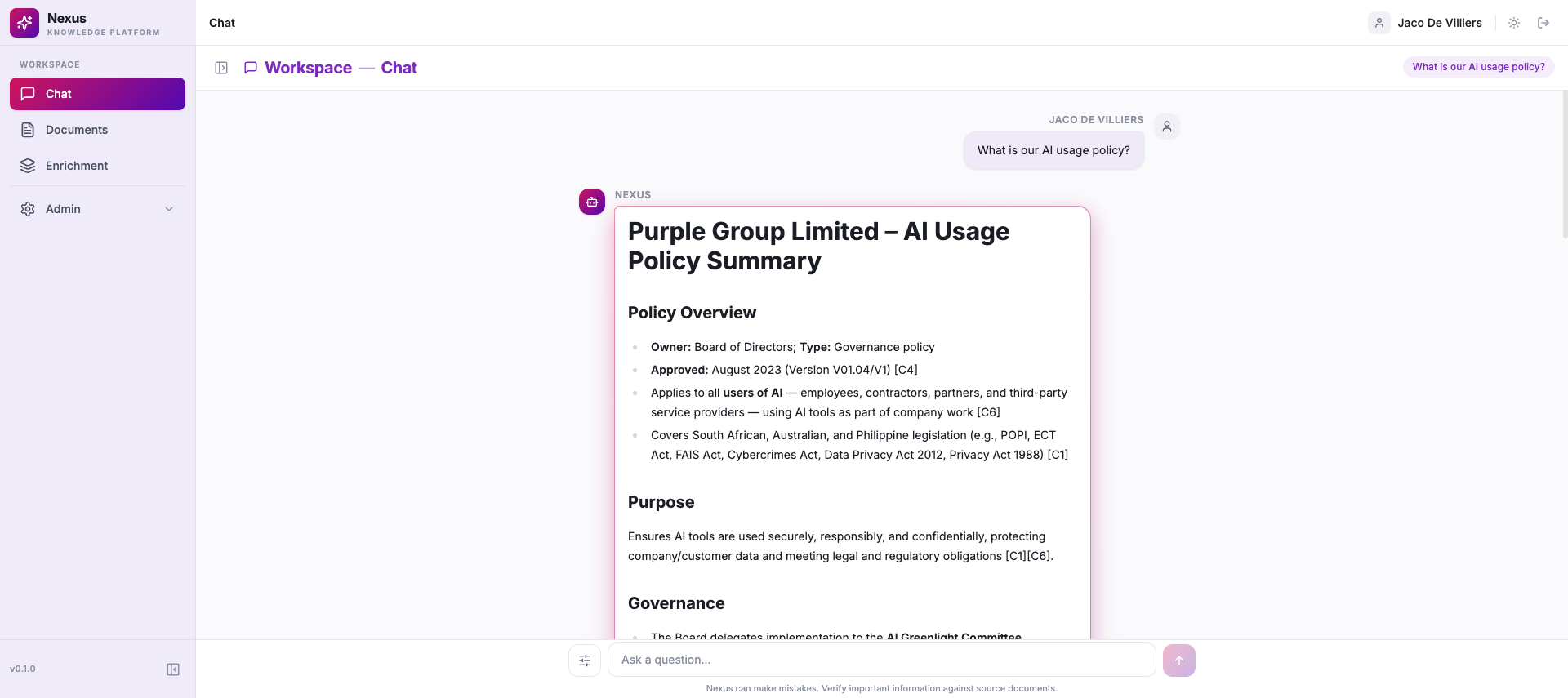
Here's how it feels to use. You type a question into a chat box, exactly like ChatGPT. Nexus figures out which documents you're authorised to see, searches only those, finds the passages that actually answer you, and streams back a plain-English answer with clickable citations attached. A Compliance question gets a Compliance answer, drawn from Compliance's documents — not a confident guess from a general model's memory, and not a stray paragraph from a department you've never worked in.
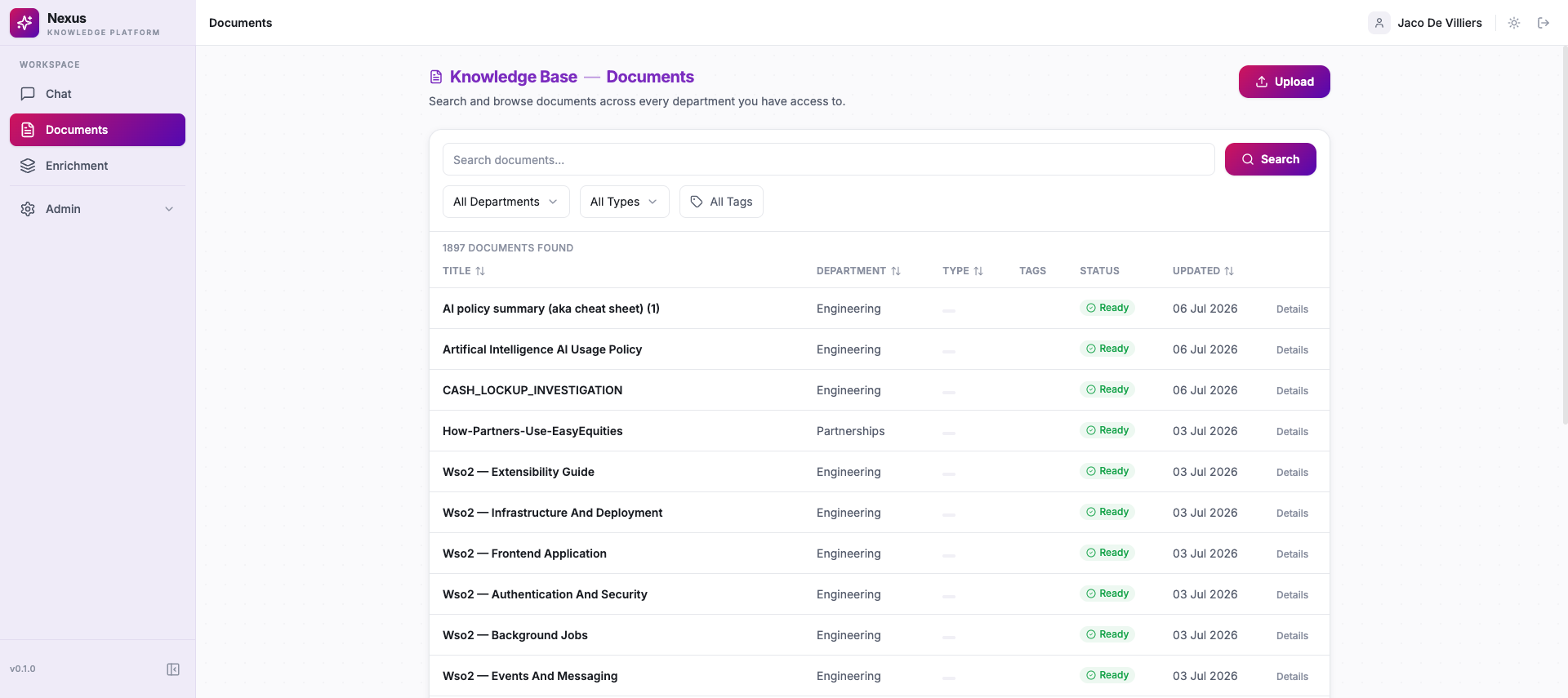
That pairing is the whole trick, and it's the thing most internal chatbots get wrong. Plenty of tools can give you a fluent answer. Very few give you a fluent answer and guarantee it only ever drew from files you're cleared to open. Nexus does both, and it's not a slide — it's live, with roughly 1,900 documents already indexed in the library today.
Access control isn't a setting. It's the architecture.
This is the part that matters most, so it's worth being precise about it. In a lot of systems, "access control" means the sensitive stuff is still in the pile — the AI can read it, reason over it, quote it — and the interface just tries not to show you the bits you shouldn't see. That's a curtain, not a wall. Pull the right thread and the material behind it leaks.
Nexus does it the other way around. Every document is labelled with who may see it — general for everyone, department-only, or confidential for named people. When you ask a question, Nexus builds a visibility filter from your session and hands it to the database before the search runs. Documents you're not cleared for are stripped out of the candidate set first; the AI never even considers them, let alone quotes them. It's enforced at the retrieval layer, not painted on at the UI, and the same rule holds through every channel — the web app, the API, and the developer tools we'll get to shortly.
The sharpest consequence is this: if the only documents that would answer your question are ones you're not allowed to see, Nexus doesn't tease you with "there are 3 restricted results." It simply says it couldn't find anything you have access to — without revealing that those documents exist at all. You can't leak the existence of the acquisition file if the system is built so that, to you, it was never there.

Every answer shows its work
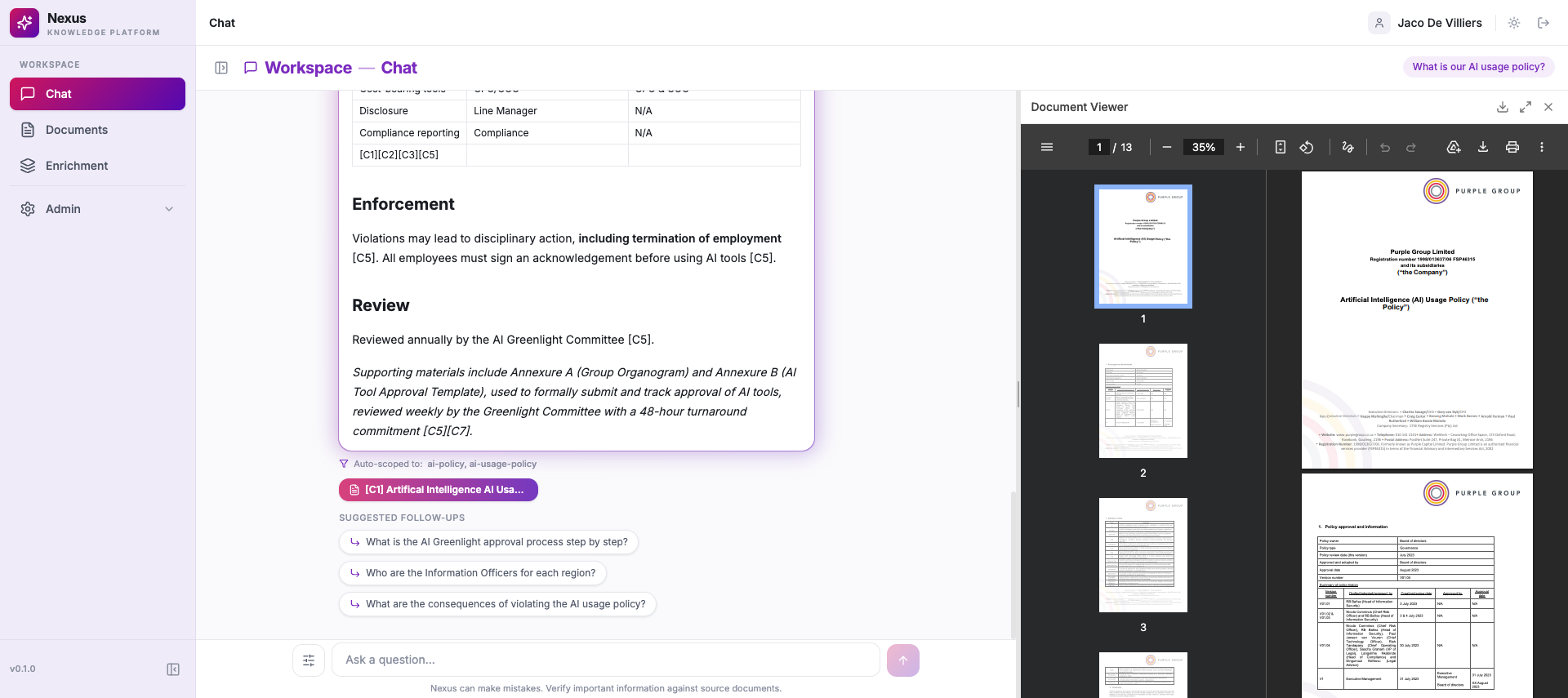
The fastest way to lose trust in an AI is to catch it making something up. So Nexus is built to be checked. Every answer carries inline citation chips, and when you click one, the actual source document opens side-by-side with the answer — the real PDF, the real policy, the real page — so you can read the sentence the AI leaned on and confirm it didn't invent it.
That's the difference between a black box and a research assistant. You're not asked to take the answer on faith; you're handed the receipts and invited to verify them in one click. For anyone whose job depends on being right about what a document says — Compliance first, but really everyone — that side-by-side check is the feature that turns "interesting" into "usable."
How documents get in — AI drafts, a human signs off
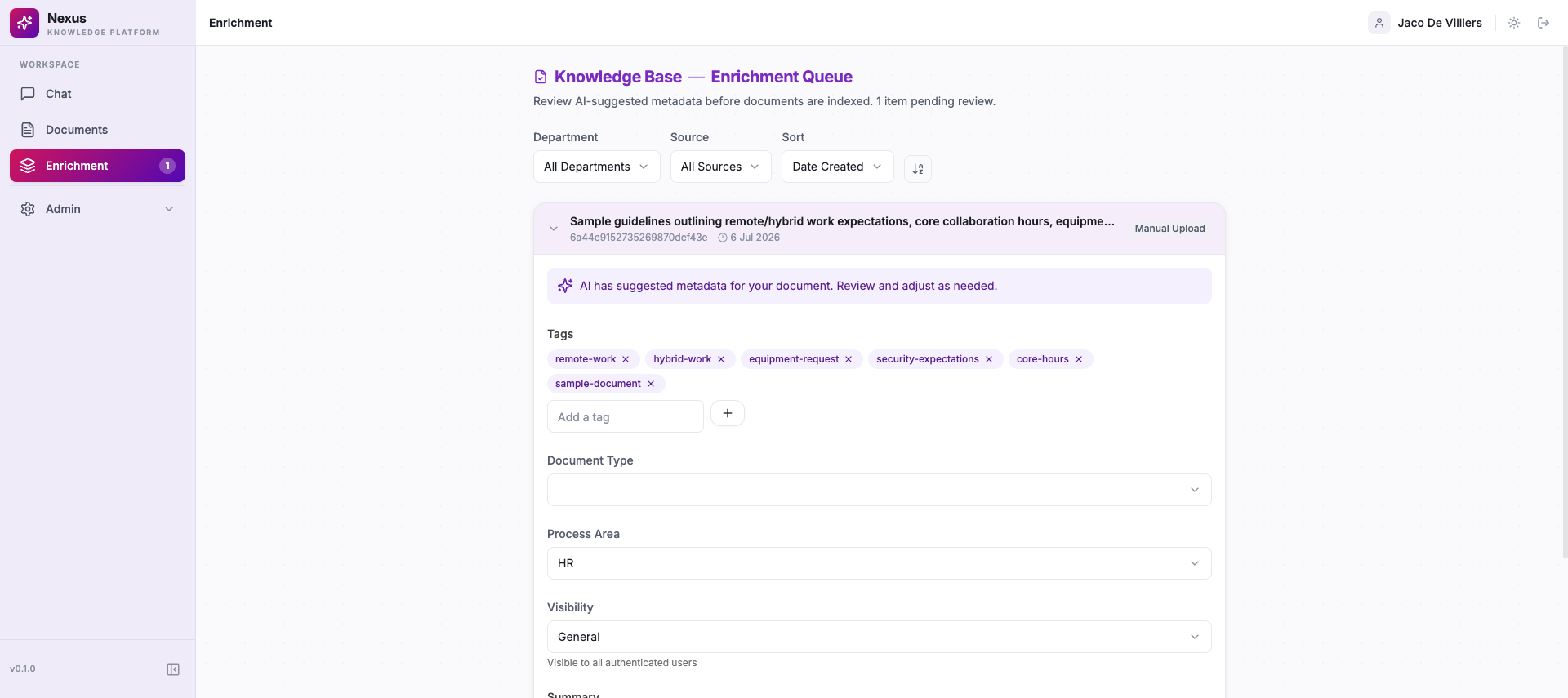
Good answers need well-organised documents behind them, and tagging documents by hand is the kind of chore nobody does properly. So Nexus does the first draft for you. As a document arrives, an AI reads it and proposes the metadata — tags, a category, a document type and a short summary — and then a person confirms or edits it before it goes live. For a single upload that's a quick review step; for a batch that came in through a sync, everything lands in a review queue for someone to work through.
The important word is before. Nothing becomes searchable on the AI's say-so alone. The machine does the tedious first pass, a human keeps the final call, and that human-in-the-loop step is exactly what makes this governance rather than blind auto-ingest.
Where the knowledge comes from
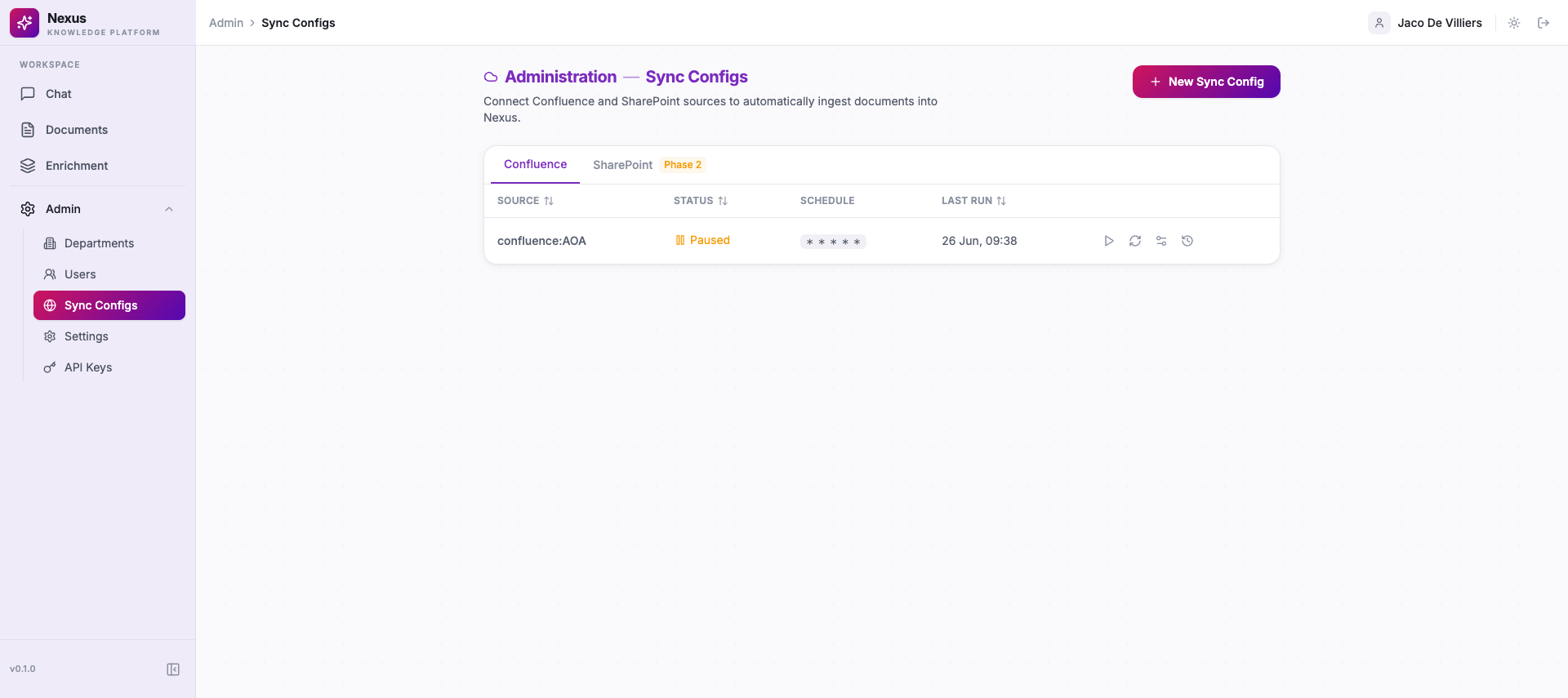
Documents reach Nexus in more than one way. You can upload them directly, or you can point a sync at a source and let content flow in. Nexus can ingest from Confluence — pointing a sync at a space so those pages become searchable, access-controlled and citable alongside everything else. (We're keeping the exact live-sync cadence deliberately vague here until the lead confirms it in production; what's true today is that the Confluence ingestion path is built and has been used to bring content in.)
SharePoint sync is Phase 2 — it's coming, not here. In the admin screen the SharePoint tab openly wears a "Phase 2" badge; we're not going to dress up a planned integration as a working one. The honest version is the whole point: what's live is live, what's coming is clearly marked as coming, in the product itself.
For developers — ask the knowledge base from your editor
Here's the part engineers will like. Nexus ships its own MCP server — MCP being the standard protocol that lets AI tools plug into external systems. It means you can query the same access-controlled knowledge base straight from Cursor or Claude, without leaving your editor. Ask the company's documents a question mid-task, get a cited answer back inline, keep coding.
Two things make this more than a gimmick. First, it enforces exactly the same permissions as the web app — the pre-filter runs on your identity here too, so a developer can't reach anything through the MCP that they couldn't reach through the browser. The wall doesn't have a back door. Second — and this matters so we don't muddle the series — this is not the DevOps MCP from Episode 05. That one is about operating infrastructure from your editor. This one is narrower and simpler: ask the knowledge base from your editor. Same protocol family, completely different job.
Who this is for
One narrative, several payoffs — from the person who just wants an answer to the business that needs it governed.
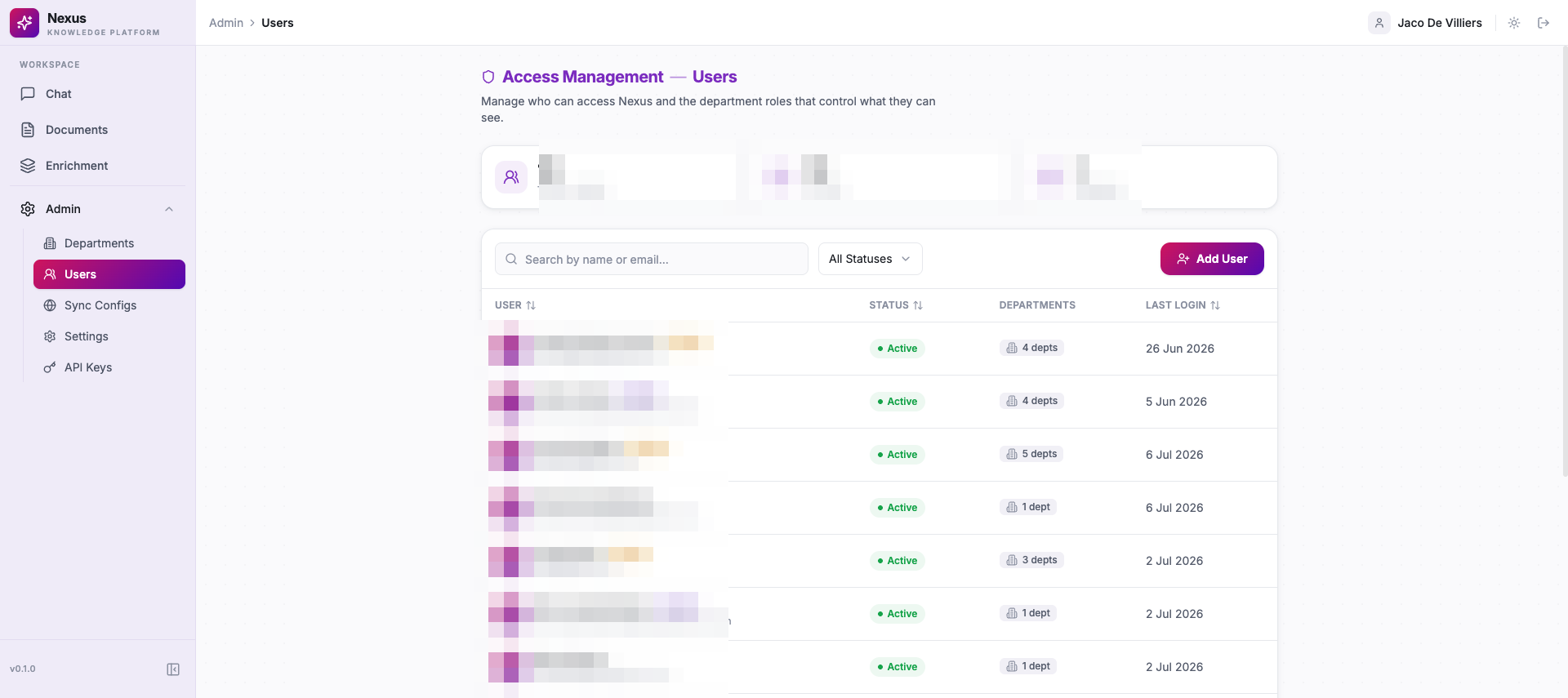
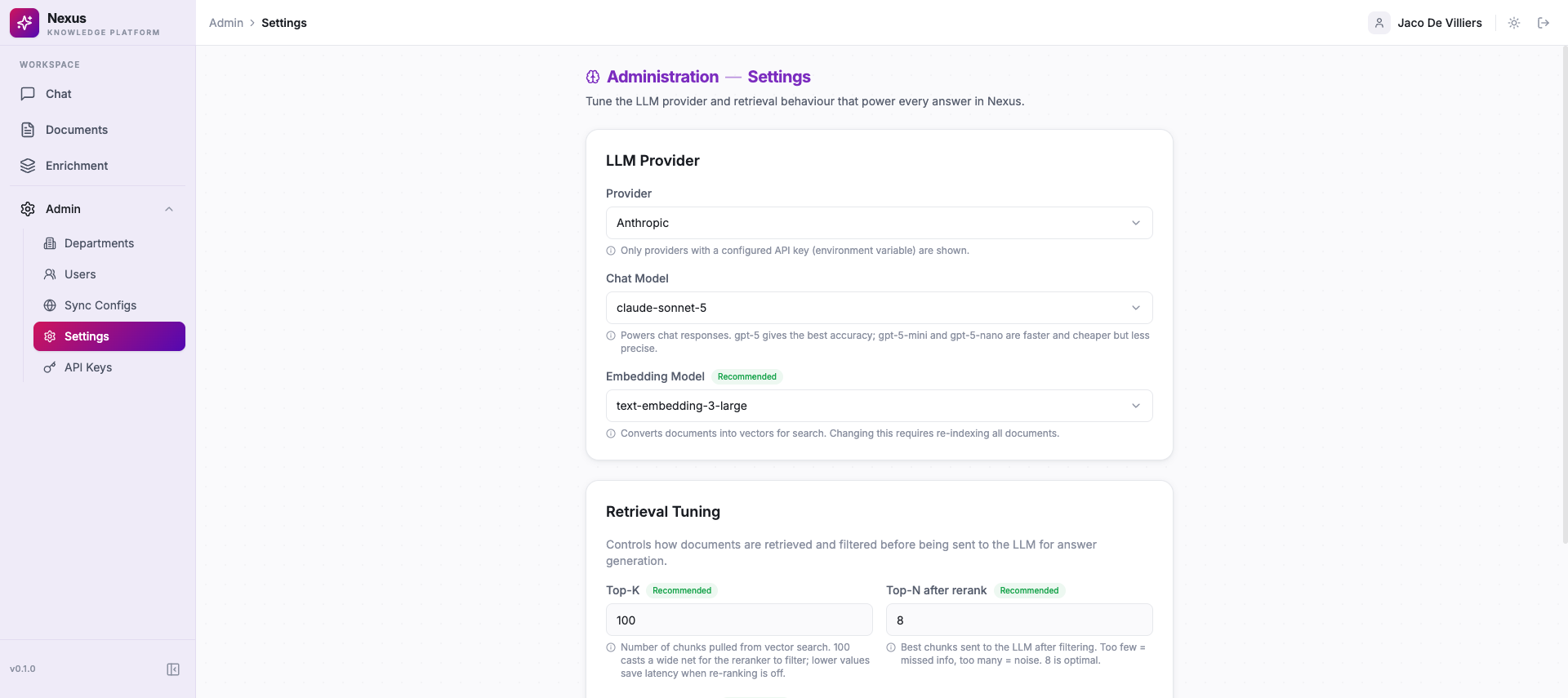
That access model is genuinely fine-grained: there are four visibility tiers on documents (general, client-facing, department, confidential) and four roles for people (Platform Admin, Department Admin, Contributor, Viewer) — and one person can hold different roles in different departments. It's provider-agnostic under the hood too: Azure OpenAI is the default, with Anthropic and GPT-5 models now added and live, and the provider is a setting rather than a rebuild.
An honest word on where it is
Nexus is live and in real internal use — but let's be straight about the scale. This is pilot-stage today: Compliance plus a handful of cross-department testers who are there partly to prove the isolation between departments actually holds. It is not a finished, company-wide rollout, and we're not going to pretend it is. It's real use, growing.
The build story is best told plainly. A team of about four, led by Johan Jurrius, put this together across roughly nineteen active development days spread over about two and a half months — with a Cursor agent co-authoring around one in every four commits — and they're still hardening it week by week. What they shipped in that window isn't a demo chatbot: it's an access-controlled knowledge platform with a real retrieval pipeline, four visibility tiers, multi-source ingestion, an MCP server and swappable LLM providers, with the security hardening and guardrails you'd expect of something meant to guard confidential material.
Several things people will ask about are deliberately not live yet, and they're marked as coming rather than done: SharePoint sync, automatic OCR for scanned documents, browsing your chat history, and first-party usage analytics are all Phase 2. When they land, we'll say so.
Where it fits
Nexus sits alongside the rest of Purple's internal platforms without overlapping them. It's not the Architecture Workspace (Episode 02), where we design what to build, and it's not Landscape Forge (Episode 06), which maps what already exists. It reads from Confluence and SharePoint rather than replacing them — it ingests those sources, wraps them in access control, and makes them askable. Its job in one line: turn Purple's scattered documents into one governed place you can ask a question and get a cited answer you're allowed to see.
The leverage
For a listed group, the reason most internal chatbots never make it past a demo isn't that they're not clever enough. It's the leak risk: the moment a tool can quietly surface a legal negotiation or an acquisition file to whoever asks, it's a governance non-starter, and rightly so. Nexus removes that objection by construction — access enforced at the retrieval layer, unauthorised material filtered out before the AI ever sees it, and a system that won't even reveal a confidential document exists. That's what lets Purple do something it otherwise couldn't justify: put an AI in front of its own documents, and treat the trust and reuse of institutional knowledge as an explicit, enforced asset rather than a risk to be avoided. The question to carry into planning: how much of what we know is trapped in systems nobody can safely search, and what would it be worth to ask it a question and trust the answer?
Stop hunting
If you've ever burned twenty minutes hunting for the right document across three systems, only to worry you'd landed on an old version — this is for you. Now there's one place to ask, in plain English. You get an answer drawn only from what you're actually allowed to see, with the sources attached so you can click through and check the work yourself. Less hunting, less guessing which version is current, and an answer you can actually trust because you can see where it came from.